
Samagra Portal MP: Complete Guide to Samagra ID Portal, Registration & Shiksha Portal
Samagra Portal helps families and students in Madhya Pradesh by bringing many government services in one place. You can make your Samagra ID, check details, update your information, and use the Samagra Shiksha Portal for school help. This portal makes everything easy, safe, and quick for everyone.
What is the Samagra ID Portal?
|
Portal Name |
Samagra ID Portal (also called Samagra Portal MP) |
|
Purpose |
It keeps all family and member records in one place. |
|
Use |
Helps people get government schemes easily. |
|
Who Can Use |
Any person living in Madhya Pradesh. |
|
Main Service |
Create Samagra ID, add family members, update details. |
|
Important For |
Scholarship, pension, ration, education, and other schemes. |
|
Language |
Available in Hindi for easy use. |
|
Where to Access |
Online through the official Samagra Portal website. |
How to Create a New Samagra ID (SPR Samagra Portal)
If you want a new ID, you can make one easily on the portal. Just follow the small steps given below, and you will get your ID without any confusion.
Steps to Add a New Member on the Portal
First, open the official Samagra Portal MP.
Log in with your family Samagra ID and password.
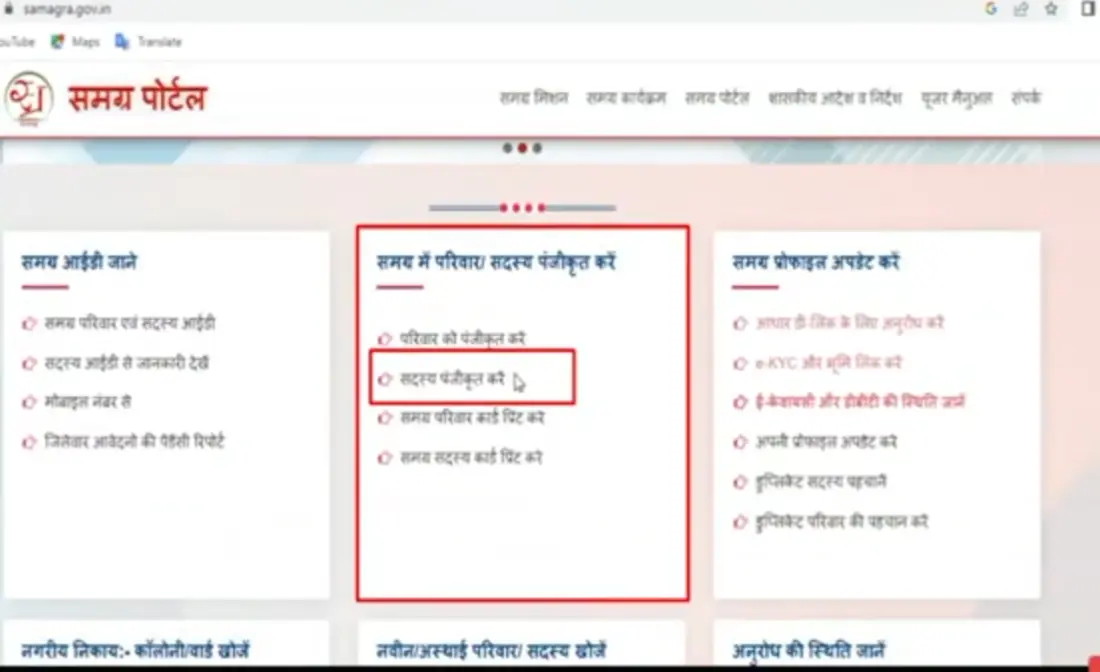
Go to the option “Add Member” on the dashboard.
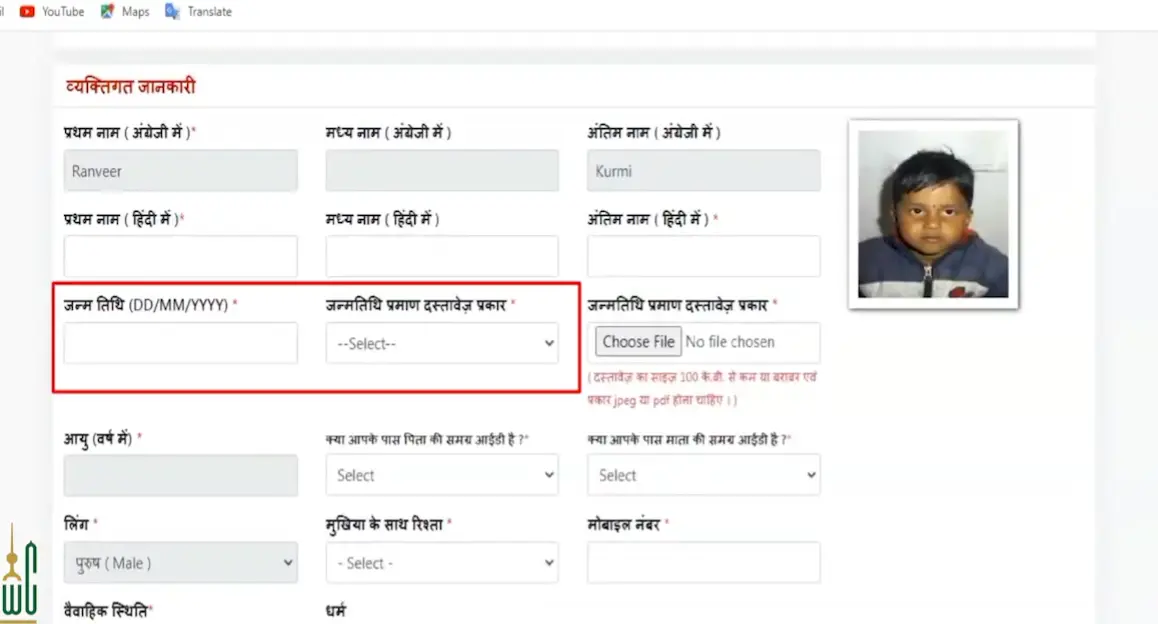
Fill in the child or person’s name, age, gender, and relation to the family head.
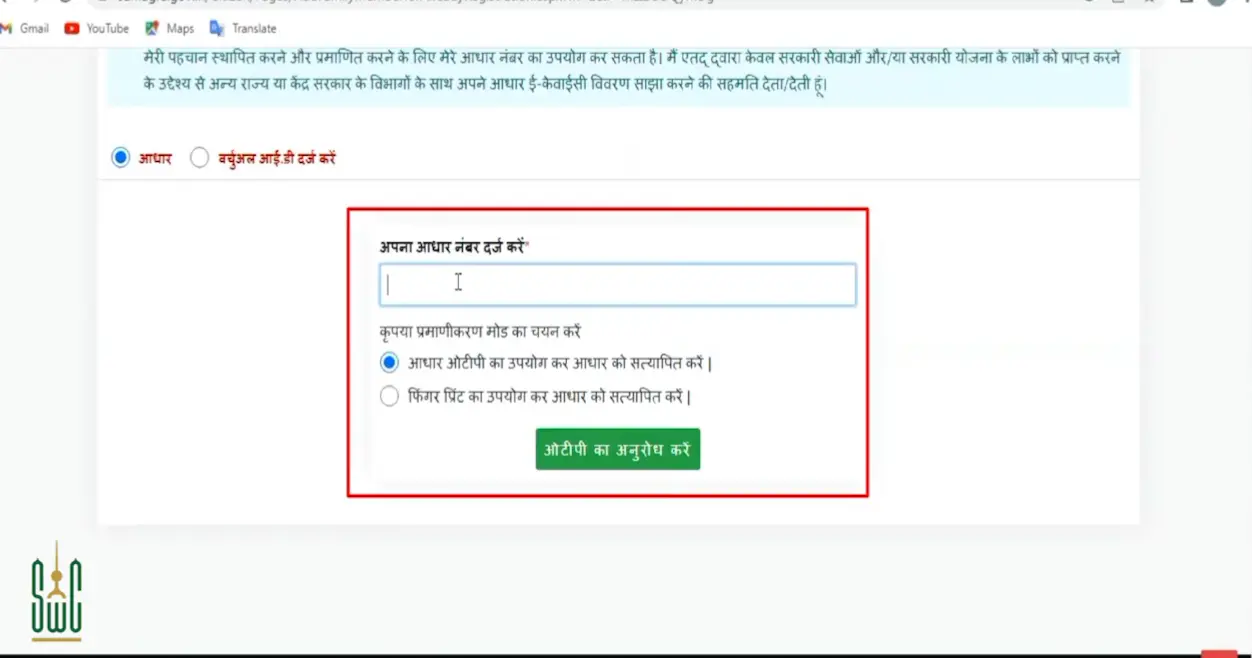
Enter Aadhaar number if available.
Upload the required documents, like a birth certificate or ID proof.
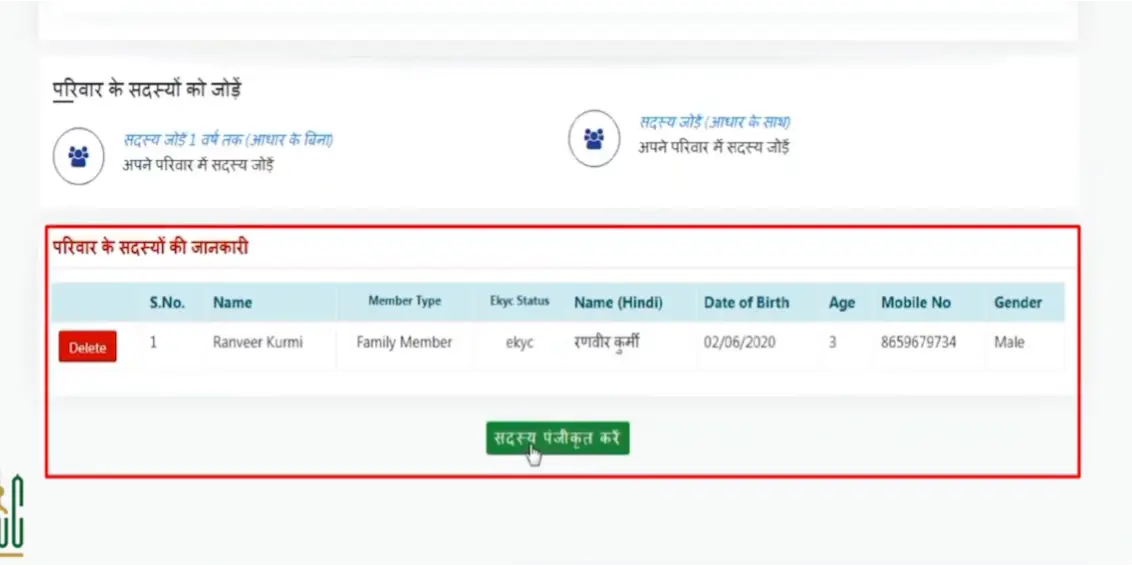
Check every detail slowly and make sure everything is correct.
Click “Submit” to add the member to your family.
Steps to Register a New Family Online
Open the Portal on your phone or computer.
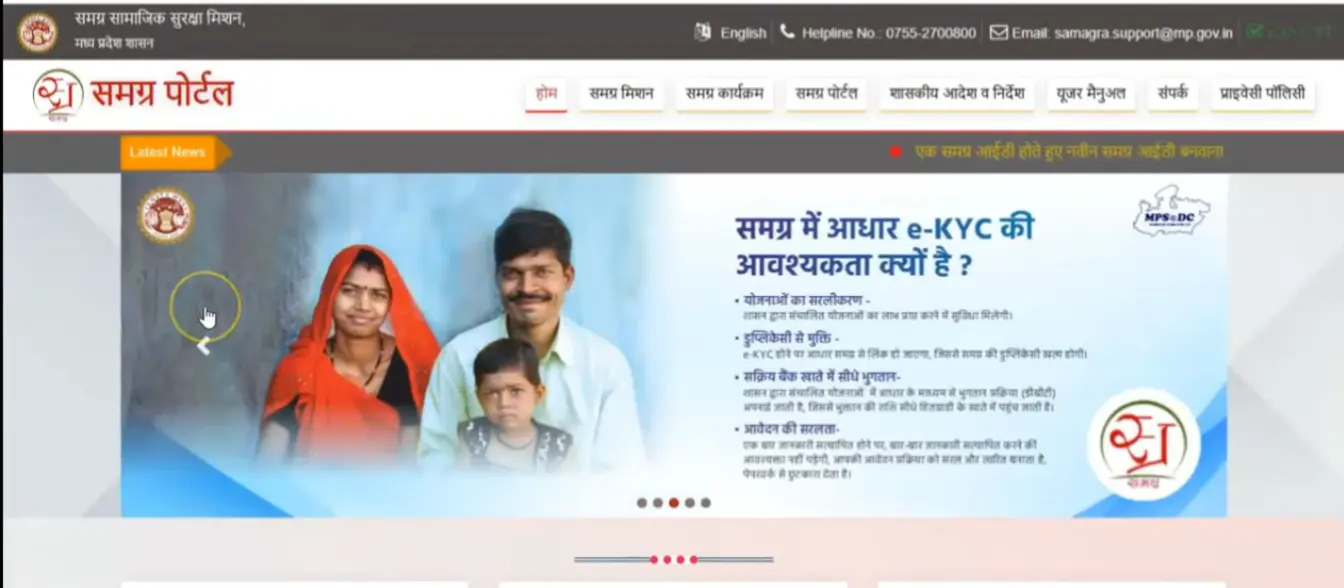
Choose the option “New Family Registration”.
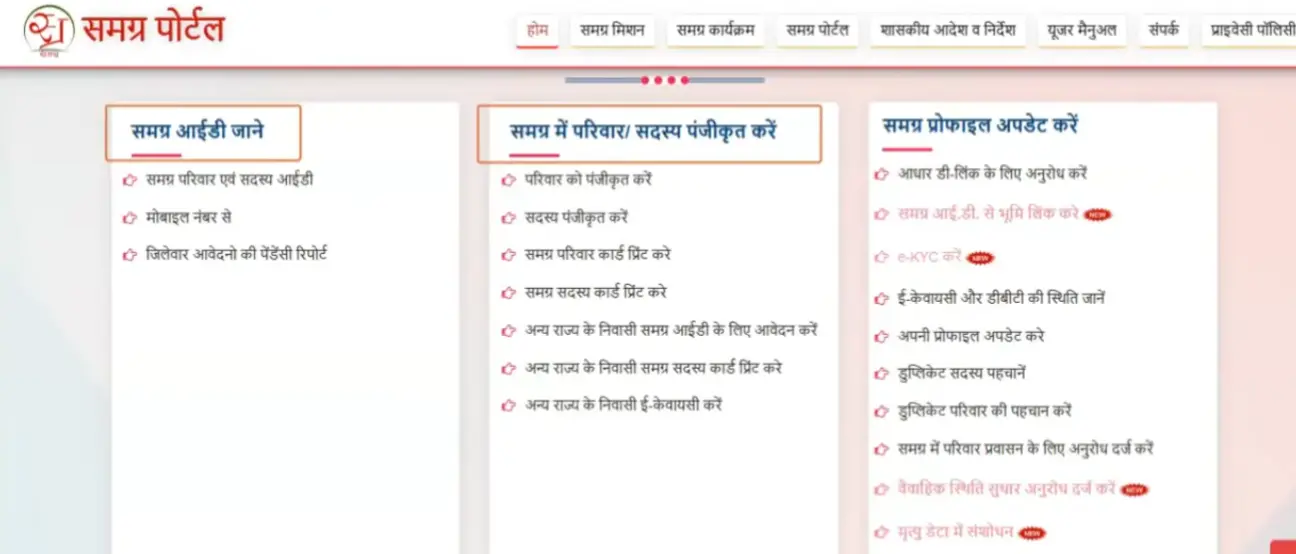
Fill in the family head’s name, address, mobile number, and district details.
Add the information of all family members one by one.
Upload Aadhaar, address proof, and other documents.
Recheck the full family form to avoid mistakes.
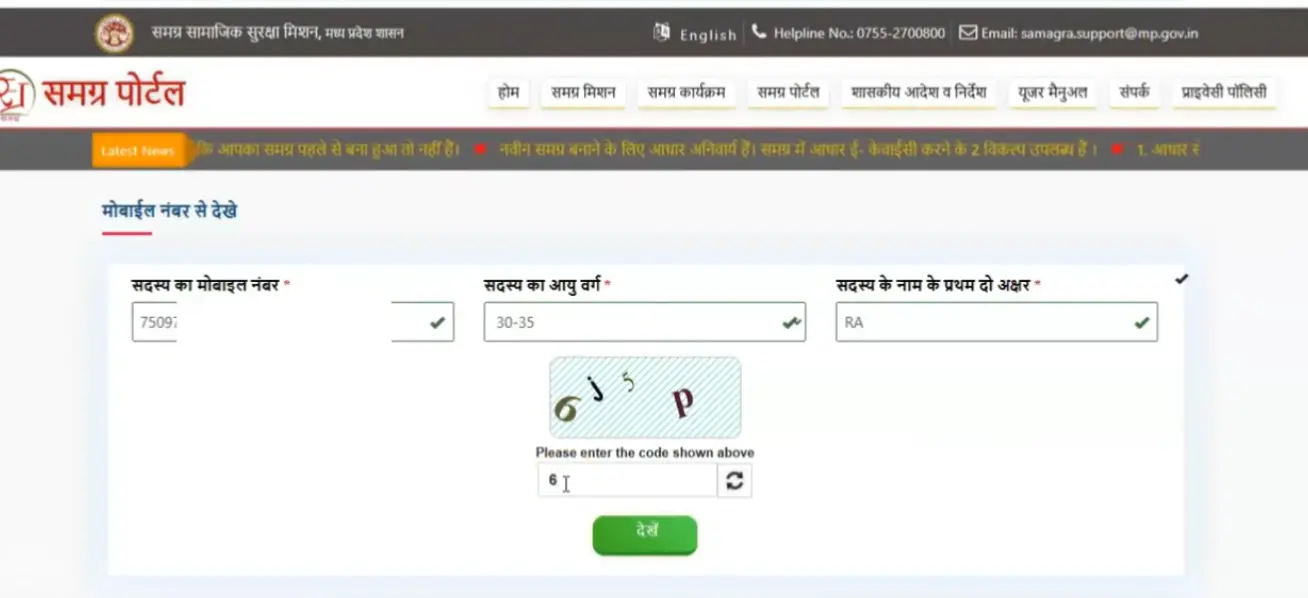
Click “Submit” to finish the registration.
Your new Family Samagra ID will appear on the screen. You can save or print it.
Required Documents for Samagra ID Registration
To make a Samagra ID, you need a few basic documents. These papers help the officers to check your family details. Keep all documents ready so your registration becomes easy and fast.
Here is the list of required documents:
How to Do e-KYC on the Portal Samagra ID?
e-KYC helps the portal check your identity. You can do it in a few easy steps. Just follow slowly:
Step 1: Go to the official Samagra ID Portal.
Step 2: Click on the e-KYC option on the home page.
Step 3: Enter your Samagra ID and click Search.
Step 4: Now enter your Aadhaar number.
Step 5: You will get an OTP on your mobile linked with Aadhaar.
Step 6: Type the OTP and click Verify.
Step 7: Your e-KYC gets updated, and your Samagra ID becomes active for all services. Click here to get a detailed guide about MPTAAS APP download.
How the samagra ID Supports MP Government Schemes
It helps the Madhya Pradesh government give benefits to the right people. When a family has a Samagra ID, the system checks their details in one place. This helps students, senior citizens, and needy families get schemes like scholarships, pensions, rations, and health support without any confusion.
Common Issues & Troubleshooting for Samagra Portal Users
You may face some issues during Samagra ID creation. Don’t worry, you are not alone. Many of us face these issues. Here are the simple solutions.
Login Problems and Solutions
Many users face login trouble on the Samagra Shiksha portal. This mostly happens because of a wrong password, slow internet, or server load. First, check your internet. Then enter your password slowly. If the password does not work, click “Forgot Password” and make a new one. If the page does not open, wait for a few minutes because sometimes the portal stays busy. Try using another browser like Chrome or Firefox. This fixes the problem most of the time
Samagra ID Update or Correction
If your name, age, address, or family details are wrong on the Samagra ID, you can fix them easily. Just log in to the portal and open the “Update / Correction” section. Select the detail you want to change. Upload your correct document, like an Aadhaar card or a birth certificate. Submit the form. The officer checks it and updates your Samagra ID. Always keep your documents ready, so your correction works fast. It is very helpful for samagra ID.
Frequently Asked Questions
Conclusion
The Samagra Portal helps every family in Madhya Pradesh manage their important details in one safe place. With the Samagra ID Portal, students, elders, and needy families get easy access to government schemes. The Samagra Shiksha Portal MP also supports school-related services. When you keep your Samagra ID updated, you can use all the benefits without any trouble. It is simple, helpful, and made for everyone.